
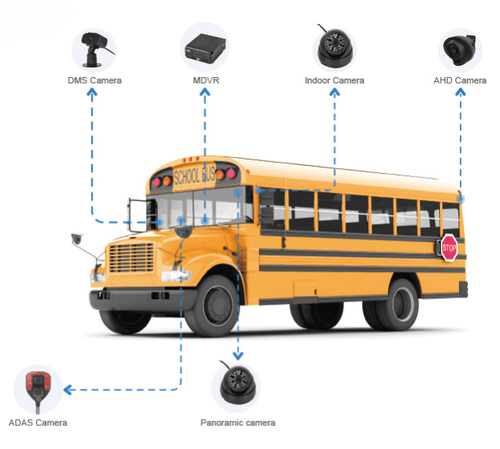
Start with the real problem
You don’t need fancy gloss — you need cameras that stop disputes, catch run-ins, and give clear views of driver behavior. Fleets and drivers get hung up on footage that’s useless because of bad angles, dark nights, or flaky power. For anyone running routes — especially in school bus fleet operations — the right 3-channel setup fixes those problems without a mess of extra hardware. If you manage routes, check how your requirements line up with the same things teams use for school bus fleet management, and know that practical systems in the field often pair with broader school bus fleet management solutions when scaling across dozens of vehicles. Big districts like Los Angeles Unified School District run thousands of bus miles a day; that scale shows why coverage, durability, and remote access matter.
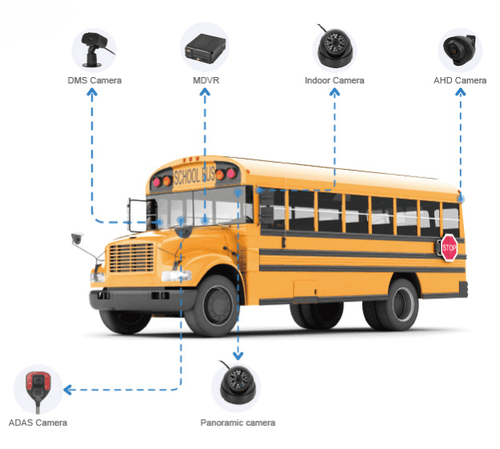
Problems fleets run into — callouts to watch for
• Cameras that miss critical angles (rear blind spots, curbside doors). • Low-light footage that can’t identify faces or plates. • Parking-mode gaps: batteries drain or the unit won’t record when vehicle’s off. • Storage chaos: no overwrite logic, corrupted files, or missing event tagging. • Dodgy mounting and wiring that lets cameras shift or lose power. • No system for syncing GPS/time with video — footage loses value in claims.
What a 3-channel dashcam must do to solve those problems
• Coverage: one forward-facing, one interior/driver, one rear or curbside camera. That combo handles collision evidence, driver conduct, and curbside incidents. • Video quality: at least 1080p for all channels; 2K front is better if plate reads are critical. 30+ fps helps for clear motion. • Night performance: true low-light sensors or IR with noise control. Don’t rely on “enhanced” software alone. • Parking mode: event-triggered buffered recording with low-power draw and auto-overwrite. Support for hardwire kits or built-in UPS is a must. • Storage and retrieval: rotating circular storage, event tagging, and easy export (Wi‑Fi, USB, or secure cloud sync). Verify filename, timestamp and GPS stored with video. • Tamper and vibration resistance: lockable housings, secure mounts, and logs that show power interruptions. • Integration: GPS and timestamp sync; optional CAN-bus or telematics hooks so videos match vehicle data. • Build quality: IP67-rated cameras and wide temp tolerance for winter routes and hot summers.
Installation and wiring — where owners screw up most
• Don’t tap random power. Use ignition-switched and dedicated parking power or a proper hardwire kit to avoid battery drain. • Mounting matters: weak brackets let lenses droop. Put mounts on flat surfaces and torque to spec. • Cable runs: secure and route away from moving parts and heat. Test door and hatch movement before finalizing. • Time sync: set GPS time once and verify across cameras — mismatched timestamps make footage worthless in an incident. • SD cards: use industrial-grade cards, set proper cycling, and replace on schedule. Corruption often comes from cheap media.
Quick comparison — 3-channel vs alternatives
• Single-channel: cheapest, only forward view — falls short for driver behavior or rear incidents. • Dual-channel: adds interior or rear, better for basic needs but still leaves one major blind spot. • 3-channel: sweet spot for trucks, vans, buses — covers forward, behind, and inside/curbside without extra complexity. • 4+ channels: full coverage but higher cost, more wiring, and more storage headaches. Choose 4+ only when you need both curbside and side-view coverage constantly.
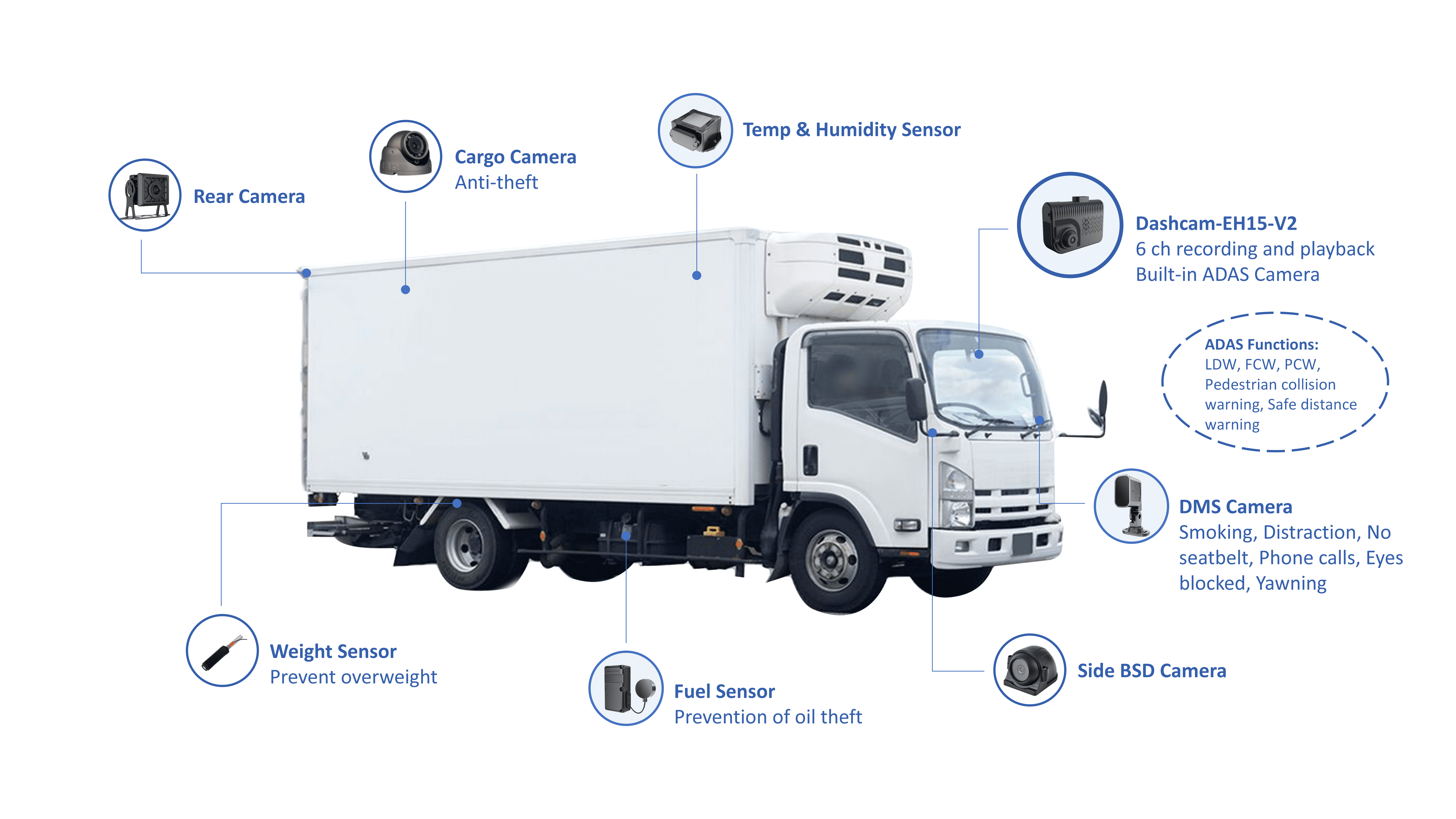
Field-tested checks before you buy
• Request sample clips: day, night, and parking-mode events from a similar vehicle type. • Check how the system handles a sudden power cut and restart — does it mark the interruption? • Verify export speed and file naming — claims handlers need quick, readable clips. • Ask about warranty and local service. Swapping a unit on the road should be straightforward. • Confirm mobile/cloud viewing options and who holds the encryption keys if you go cloud.
Common mistakes that cost time and money
• Buying by headline specs alone — “4K” doesn’t help if angle or night performance sucks. • Skimping on mounting hardware or pro installation for fleet vehicles — saves money now, costs hours later. • Overlooking power strategies for parking mode; cutting corners ruins cameras and batteries. • Ignoring integration needs with existing telematics — video is way more useful when matched to GPS and vehicle status.
Wrap-up: practical pick and where the value lands
Pick a 3-channel dashcam that nails the angles you actually need, uses reliable power and storage, and gives you quick access to event clips. Keep mounts tight, use industrial SD or cloud rollover, and test low-light samples before you commit across a fleet. When you add up less downtime, fewer disputed claims, and clearer evidence for drivers and insurers, the right system pays back. For fleets that want systems tuned to route demands and scale — the kind of work that partners like BSJ support in real deployments — focus on proven coverage, solid installation practice, and manageable data workflows.